Midas M32 Very odd internal feedback problem

Vlad Eroxin

New member
Mar 13, 2018
9
3
3
Seattle
Running firmware 4.13. I got a very weird feedback problem and I can't figure out where its coming from. This happens when I load scene 02 "Choir" (Maybe happens with other scenes too, I just didn't test). When I start brining up DCA 4 fader to the max, all of a sudden I get weird screeching feedback out of my mains. The source is my CD player - so there shouldn't be any feedback at all.
I've done sound for over 15 years, and configured all the settings and routing from scratch, and have a unique config for my music input: DCA 4 controls CH23,24. CH23,24 input is set to BUS15,16. BUS15,16 receives Aux1,2; Aux3,4, USB L,R.

Maybe the fact that I send an Input to a BUS, back to an Input and then to another BUS - has to do something with it? If you could, please try my config on your mixer. I've exported my whole mixer config, zipped it and attached it. I've also 7zip'ed and shared it from Google Docs. Here's the link:

https://drive.google.com/file/d/1XsZ6YAyl62FAV9bva5cHcoINN4bRdG2i/view?usp=sharing

I don't have this problem when I switch to, for example Scene 16.
I would really appreciate if someone could tell me what's going on. I'm a very technical guy, so please go into as much detail as you can on what you think is happening and where the feedback is coming from. Also, please let me know if you are not able to reproduce it.
Thanks!
 

Attachments

You said "'' DCA 4 controls CH23,24. CH23,24 input is set to BUS15,16. BUS15,16 receives Aux1,2; Aux3,4, USB L,R.'''" I'm not sure of the wording. I'm guessing 23/24 are the inputs from the CD player? Or? Do you mean Channels 23/24 are "sent" to Bus 15/16? Are those Buses linked? Then Buses 15/16 "also" receive Aux 1/2, Aux 3/4, USB L/R? The first thing I would do is Mute Everything but the CD player and try that. Be on the "Meters Page" and should you still get feedback scroll through the Meters page input to output and see if there is something coming up that shouldn't be. Bus 15/16 are normally setup to feed "Effects 4" processor. I'm thinking you have a feedback loop building up with those channels coming into those buses and effects sends turned up in one or more of your channels feeding that bus as well. I would go sends on faders and see if any of those channels "Sends" are feeding Bus 15/16 as well. Go to the Effects Send and Return layers and Mute 15/16 and see what happens. Busy today but let us know if you get this resolved. I may have a chance to load your scene tomorrow.

Doug
 
Pushing for time. Could you save your scene again so it is more current? I've noticed channel 23/24 are not in a DCA group so there may be other changes that are not current as well. Just save it to another number so you don't remove your saved scene.
 

Attachments

  • DCA.JPG
    DCA.JPG
    313.3 KB · Views: 3
If 23/24 are getting Buses 15/16 as inputs to them make sure on the "Sends" tab that they are not being sent to Bus 15/16 as well. It is not in the scene you posted here but it is not the most current scene I believe. If you don't mind me asking why are 23/24 getting Buses 15/16? The current scene shows Card inputs
Doug
 
If 23/24 are getting Buses 15/16 as inputs to them make sure on the "Sends" tab that they are not being sent to Bus 15/16 as well. It is not in the scene you posted here but it is not the most current scene I believe. If you don't mind me asking why are 23/24 getting Buses 15/16? The current scene shows Card inputs
Doug
Yes, exactly - 23/24 are getting Buses 15/16 as inputs, and no - they are not being sent back to bus 15/16.
Mixer is limited to recording 32 channels, and I can only spare 2 channels for my music input. I wanted to play music from either of the 3 stereo sources and have it recorded as part of the 32 channels.

You said "Could you save your scene again so it is more current? I've noticed channel 23/24 are not in a DCA group so there may be other changes that are not current as well."
Did you get it to finally work? 23/24 should be part of DCA 4

You also said "The current scene shows Card inputs" - could you please elaborate on what you're talking about?

Were you able to load my whole mixer config? were you able to experience the same feedback?

Thank you very much for looking into this!!! :)
 
Yes, exactly - 23/24 are getting Buses 15/16 as inputs, and no - they are not being sent back to bus 15/16.
Mixer is limited to recording 32 channels, and I can only spare 2 channels for my music input. I wanted to play music from either of the 3 stereo sources and have it recorded as part of the 32 channels.

You said "Could you save your scene again so it is more current? I've noticed channel 23/24 are not in a DCA group so there may be other changes that are not current as well."
Did you get it to finally work? 23/24 should be part of DCA 4

You also said "The current scene shows Card inputs" - could you please elaborate on what you're talking about?

Were you able to load my whole mixer config? were you able to experience the same feedback?

Thank you very much for looking into this!!! :)
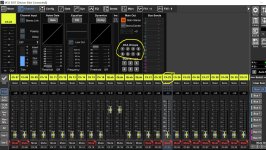
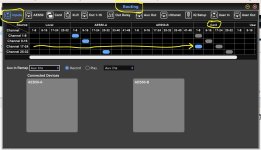
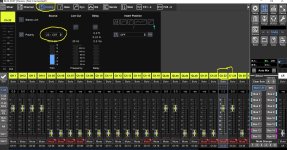
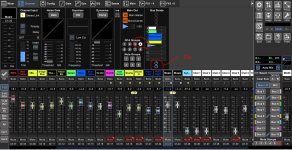
Good morning Vlad. In order for a DCA fader to control a channel that channel has to be assigned to a DCA group. A quick look above at my first attachment and you can see channel 23 (and 24 not shown) do not have DCA 4 on so they are not assigned to a DCA. I'll post an attachment in a bit with how it should look when a channel is assigned to a DCA. As far as the Card assignment. Channel 23 and 24 show they are receiving Card inputs 7 and 8. (C07) on channel means it is patched to receive Card channel 7. All channels 17-24 are set and are receiving card inputs. I'll put an attachment up and another with the channel showing it is set to card input. The desk has a Record and Play section in Routing. Is there any chance you were Playing Music when you stored this scene? What I know from this scene is 23 and 24 are not assigned to a DCA group and channels 17-24 are receiving from the card input on the back of the desk. The Card of course is the USB in and possibly a SD card if you have the card in the back that will record SD cards. Any chance at all you are playing music via USB in or Card in when this scene was stored?
 

Attachments

  • Card1.JPG
    Card1.JPG
    101.6 KB · Views: 4
  • Card2.JPG
    Card2.JPG
    315.5 KB · Views: 4
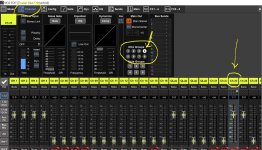
If Channel 23 and 24 were assigned to DCA Goup 4 then the 4 would be on as in the attachment below. Above in my first attachment you can see DCA 4 is not on so that channel and channel 24 not shown but the same, are not in DCA 4 group. Again are you sure this is a current scene? Do a quick check of your Record/Play routing.
Doug
 

Attachments

  • Channel assigned to a DCA.JPG
    Channel assigned to a DCA.JPG
    276.8 KB · Views: 6
Good morning Vlad. In order for a DCA fader to control a channel that channel has to be assigned to a DCA group. A quick look above at my first attachment and you can see channel 23 (and 24 not shown) do not have DCA 4 on so they are not assigned to a DCA. I'll post an attachment in a bit with how it should look when a channel is assigned to a DCA. As far as the Card assignment. Channel 23 and 24 show they are receiving Card inputs 7 and 8. (C07) on channel means it is patched to receive Card channel 7. All channels 17-24 are set and are receiving card inputs. I'll put an attachment up and another with the channel showing it is set to card input. The desk has a Record and Play section in Routing. Is there any chance you were Playing Music when you stored this scene? What I know from this scene is 23 and 24 are not assigned to a DCA group and channels 17-24 are receiving from the card input on the back of the desk. The Card of course is the USB in and possibly a SD card if you have the card in the back that will record SD cards. Any chance at all you are playing music via USB in or Card in when this scene was stored?
Hello Allen, Yes there's a chance I was in "Play" section when this scene was saved - but that still shouldn't give me the crazy feedback that I had.
It's also weird that DCA 4 isn't configured... I will double check again and 'backup' the mixer settings again.
The mixer is at my church - and I'm there only Thursday evenings and on Sundays.
 
  • Like
Reactions: Douglas R. Allen
I've checked - and DCA 4 has CH23 and CH24 on it. Do other DCA's have anything on them? I have things on all 8 DCAs.
I've also attached just the saved scenes - maybe try loading it.
 

Attachments

And here's my full console backup from today. Scene 02 "Choir" is the one that gives weird crazy feedback when raising DCA 4 to the max.
BTW, I loaded the saved backup to make sure it's not corrupt, and it still has CH23 and CH24 on DCA4.
 

Attachments

Last edited:
And here's my full console backup from today. Scene 02 "Choir" is the one that gives weird crazy feedback when raising DCA 4 to the max.
BTW, I loaded the saved backup to make sure it's not corrupt, and it still has CH23 and CH24 on DCA4.
Ok, I managed to get the scene open. It is the same scene as before. It is dated 7-13-2025. You made changes to the 7-13-2025 scene, which may include the DCA assignments, but you haven't saved them to another scene number/location. It may be best for you to find a X32/M32 user in your area to go through the desk with you. Doug
 

Attachments

  • Scene Save.JPG
    Scene Save.JPG
    26.6 KB · Views: 4
Ok, I managed to get the scene open. It is the same scene as before. It is dated 7-13-2025. You made changes to the 7-13-2025 scene, which may include the DCA assignments, but you haven't saved them to another scene number/location. It may be best for you to find a X32/M32 user in your area to go through the desk with you. Doug
That's right - I have not modified the scene, because I want to figure out what's causing this issue. When I say "I saved the scene" - I mean I exported it from the mixer to a file.
Could you please explain what you would like me to do? I'm sure I'm capable of doing anything that you would ask. Have you tried loading (restoring) the whole config to your mixer?
 
That's right - I have not modified the scene, because I want to figure out what's causing this issue. When I say "I saved the scene" - I mean I exported it from the mixer to a file.
Could you please explain what you would like me to do? I'm sure I'm capable of doing anything that you would ask. Have you tried loading (restoring) the whole config to your mixer?
It would be pointless for me to load the scene if it is not the correct one. To hopefully explain this right. A person sets a desk up as he/she wants it. Saves it as scene 1. It is dated Aug 3rd. Next they make a bunch of changes to that scene, changing it but don't save it again to a new location or even overwrite it to scene 1 again. They have a problem with the changes but don't save those changes to a new scene. It seems to me you did this. (guessing) The Scene you have posted here is like the Aug 3rd example. It is a scene before you made the changes to it that are giving you the problems. The scene I opened doesn't have DCA assignments in it. The problem you are reporting has to do with DCA fader movements. Until anyone has the same scene you are having problems with to look at it is impossible to find the issue.
 
It would be pointless for me to load the scene if it is not the correct one. To hopefully explain this right. A person sets a desk up as he/she wants it. Saves it as scene 1. It is dated Aug 3rd. Next they make a bunch of changes to that scene, changing it but don't save it again to a new location or even overwrite it to scene 1 again. They have a problem with the changes but don't save those changes to a new scene. It seems to me you did this. (guessing) The Scene you have posted here is like the Aug 3rd example. It is a scene before you made the changes to it that are giving you the problems. The scene I opened doesn't have DCA assignments in it. The problem you are reporting has to do with DCA fader movements. Until anyone has the same scene you are having problems with to look at it is impossible to find the issue.
You are incorrect. Scene 02 is the one that has problems. Yes - I know it's from a month ago - this doesn't change anything. When I load scene 02 from the file that I sent to you - It has all the DCA's assigned, and it's the one that has problems.
Try using the full console backup that I did last week.
What is the model of your mixer? Maybe there's some differences in the models and that's why the DCA's don't get loaded?
 
This is the last scene you put up here shown in the attachments. I just opened it again. It doesn't have any DCA assignments within that scene. The scene was stored/made on 7-13-25 and does not have DCA assignments in it. What more can I do?
Doug
 

Attachments

  • Last Scene posted.JPG
    Last Scene posted.JPG
    49.6 KB · Views: 2
  • Last Scene posted 2.JPG
    Last Scene posted 2.JPG
    19.8 KB · Views: 2
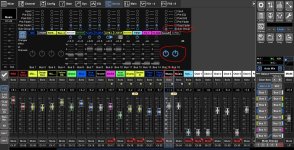
Ok, I loaded the scene you posted over on ProSoundWeb. This shows DCA assignments and it also shows your feedback issue. Channels 23/24 are sending to Subgroups 15/16 via it's channel sends while at the same time they are being fed by subgroups 15/16..... Turn off in Channel 23/24 the Sub Group send to subgroups 15/16. I thought you said there were no sends to those Buses when we talked before?
Doug

:edit for clarity:
 

Attachments

  • Feedback.JPG
    Feedback.JPG
    345.9 KB · Views: 3
Last edited:
Bus 15/16 are assigned as a sub group. In channels 23/24 the send to the sub groups 15/16 is on while they are receiving subgroups 15/16 into them.
Doug
 

Attachments

  • Feedback 2.JPG
    Feedback 2.JPG
    363 KB · Views: 3
Last edited: