Re: Attempting to Connect .... yawn ....
Following up on my last post here:
Did two more shows, one mixing from iPads and one as a provider, not mixing.
Both times, I took a hub and connected both Airports (old built in AC plug and new Express) to compare performance, and felt like I had a reliable method of getting a network connection:
-power up Airports and connect to the hub, hub connected to powered-down X32;
-iPads on, connected to Airport (Gen1 to old Airport, Retina to Express);
-power up X32.
Instant network connections to console, both days.
The day I mixed from iPads there was a couple hours between end of soundcheck and beginning of show, so I spent it looking at the connection stability over time.
Sure enough, the Gen 1 went back to its connection drop every 60 sec like clockwork, while the Retina was solid. I made a couple of movies with stopwatch visible to show time, and showing the connection symbols of the XiControl on both iPads. Unfortunately, .mov does not seem to be a supported format here, so you can't see them. If you could, you'd see what I just described.
Switching the Gen1 over to the new Airport eliminated the dropouts. Switching the Retina over to the old Airport surprisingly DIDN'T result in dropouts and IIRC I couldn't get dropouts to occur again. I watched things for 20 min or more and didn't have any dropouts, and lost interest and surfed the web for the remainder of the dead time. Mixing the simple talking head show was easy and fun on an iPad.
The second show was in the same place as my earlier post, and I had a laptop with the WiFi Explorer software that Robert recommended ITT.
I said in the earlier post there were at least three WiFi networks present? There were TWENTY THREE visible! Plus my two which were invisible, since I have them set to be not visible. Although this may save them from attack by iPhones, it also makes it impossible to view their performance using this software, and I don't quite know how to balance the good and bad in that.
Anyway, here are some pictures of the computer screen showing what was going on in the room:
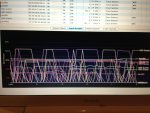
The first pic shows the cacophony of wireless networks visible from this auditorium. There were triplets of networks in the 2.4Ghz range
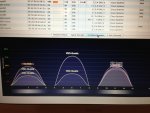
and a few in the 5Ghz range
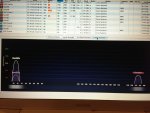
Regarding the regular dropouts on mine, there were a bunch of networks that had the same kind of pattern, and here is one of them
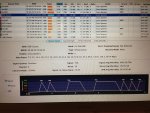
It must be possible to set up a network to do this automatically, or else it routinely randomly occurs. Why would you want this, or why would you put up with its prevalence if you didn't want it? It is a mystery.
The BE was not at all interested in the iPads, so I put them away and so did not monitor dropouts this day. While I was looking, though, they were fine, but were about 18" from the Airports and so had pretty strong signals.




